 Matchcast
Match-day graphics for your stream, run from one screen.
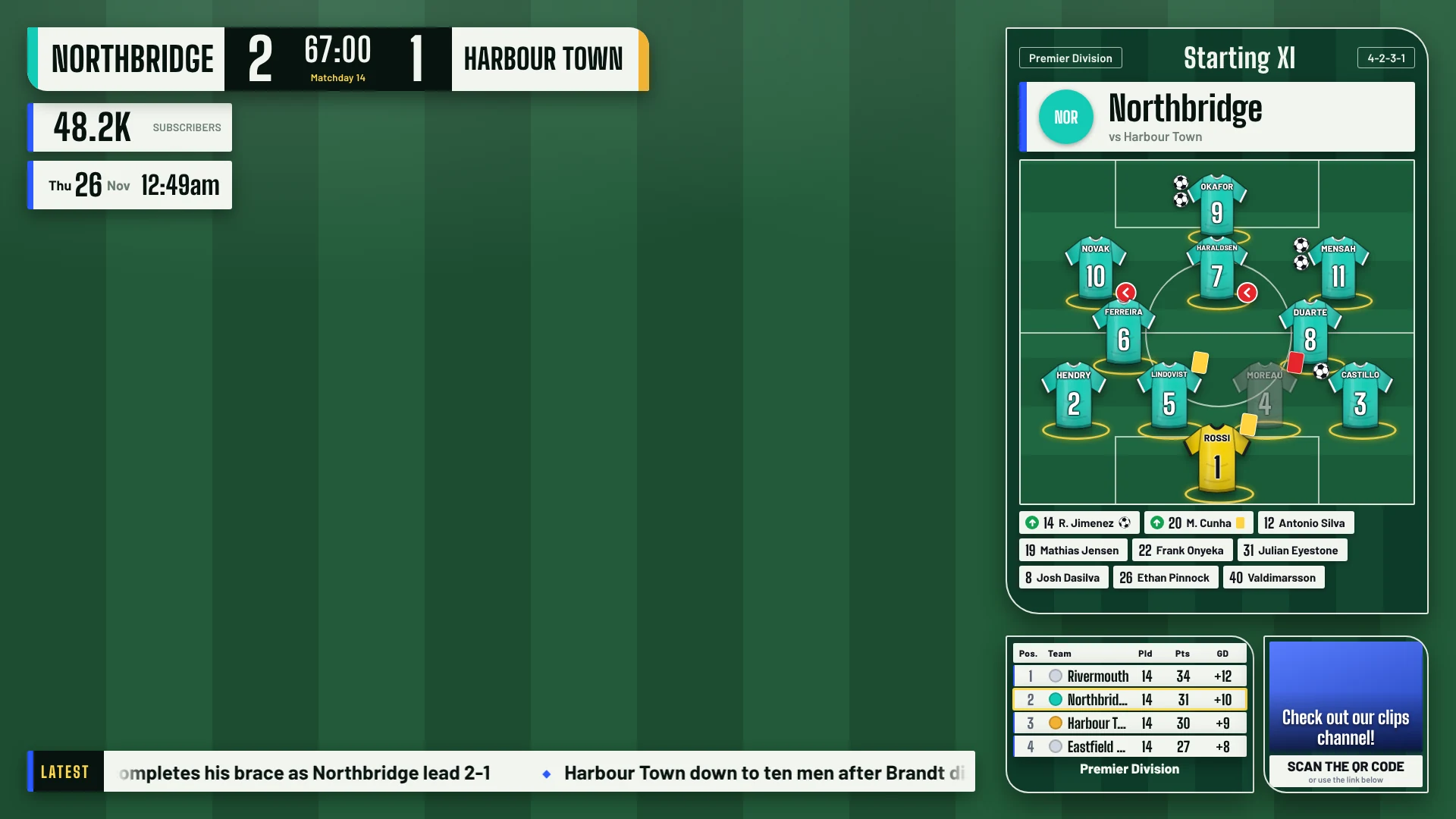
Matchcast runs on your own computer and puts a scorebug, lineups, stats, the league table and goal animations on your stream, in your colours. You control all of it from one page while you commentate.
What goes on screen
 Lineups
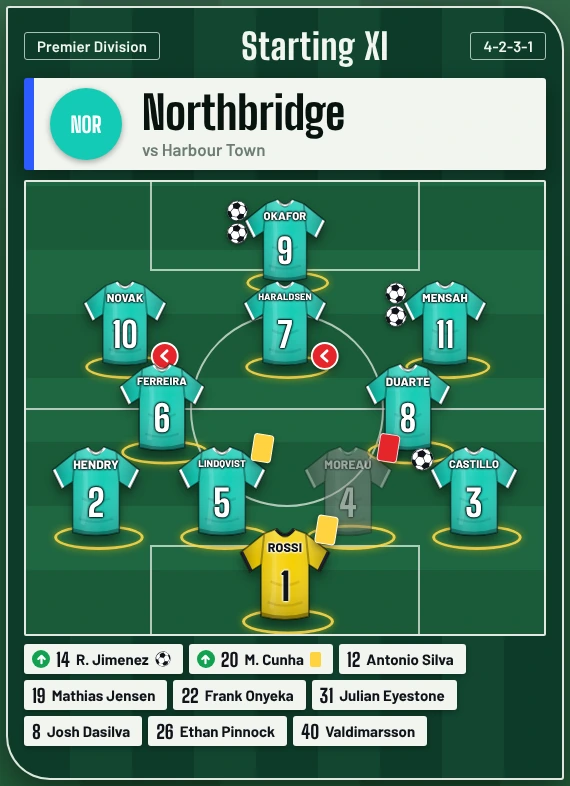
The formation comes from the data feed. Goals and cards show on the shirts and the bench sits underneath. Players who come on get a green arrow, players who go off get a red one.
 Stats
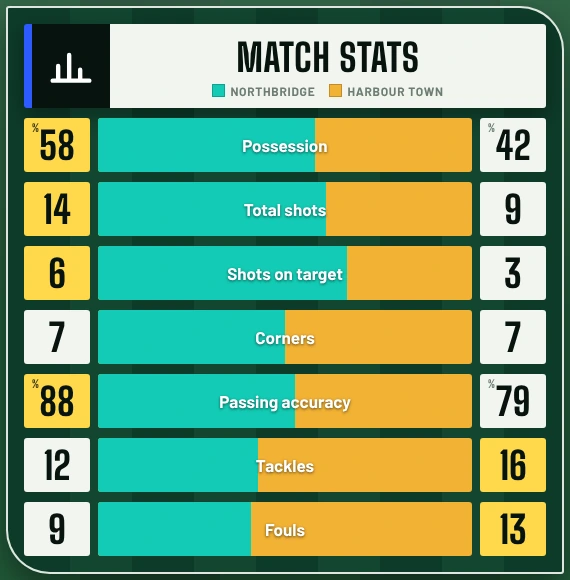
The team ahead on each line lights up. Level lines split the bar down the middle. Add or remove rows whenever you like.
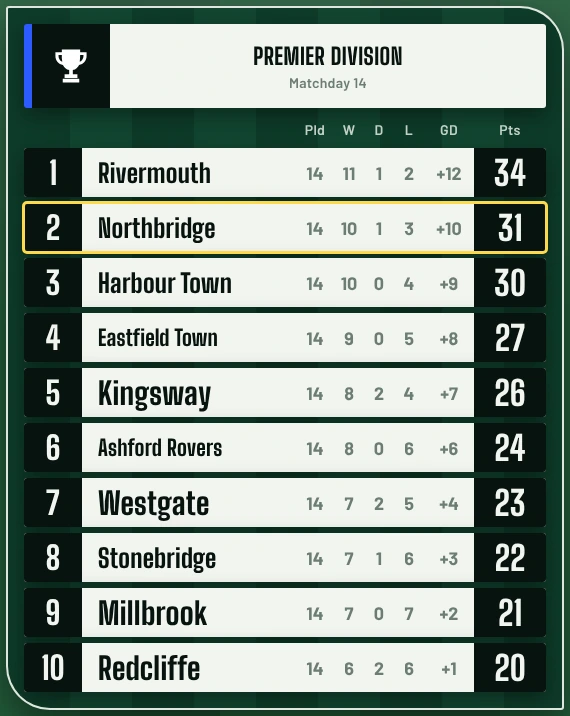 League table
Follow your club, or show the top or bottom ten. Relegation places turn red.
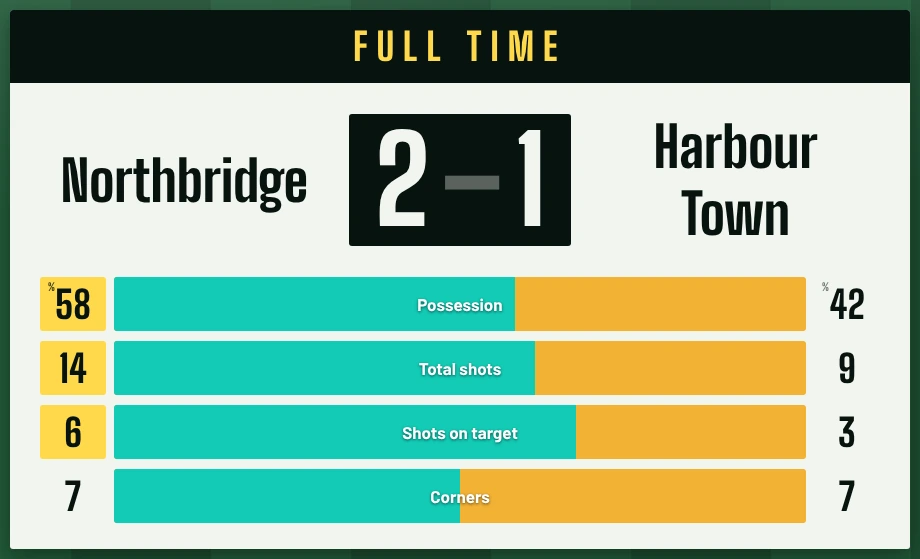
Full-time recap
Put the result and the key numbers over the camera when the whistle goes.

Goals, stoppage time and cards

These are stills from the live overlay.
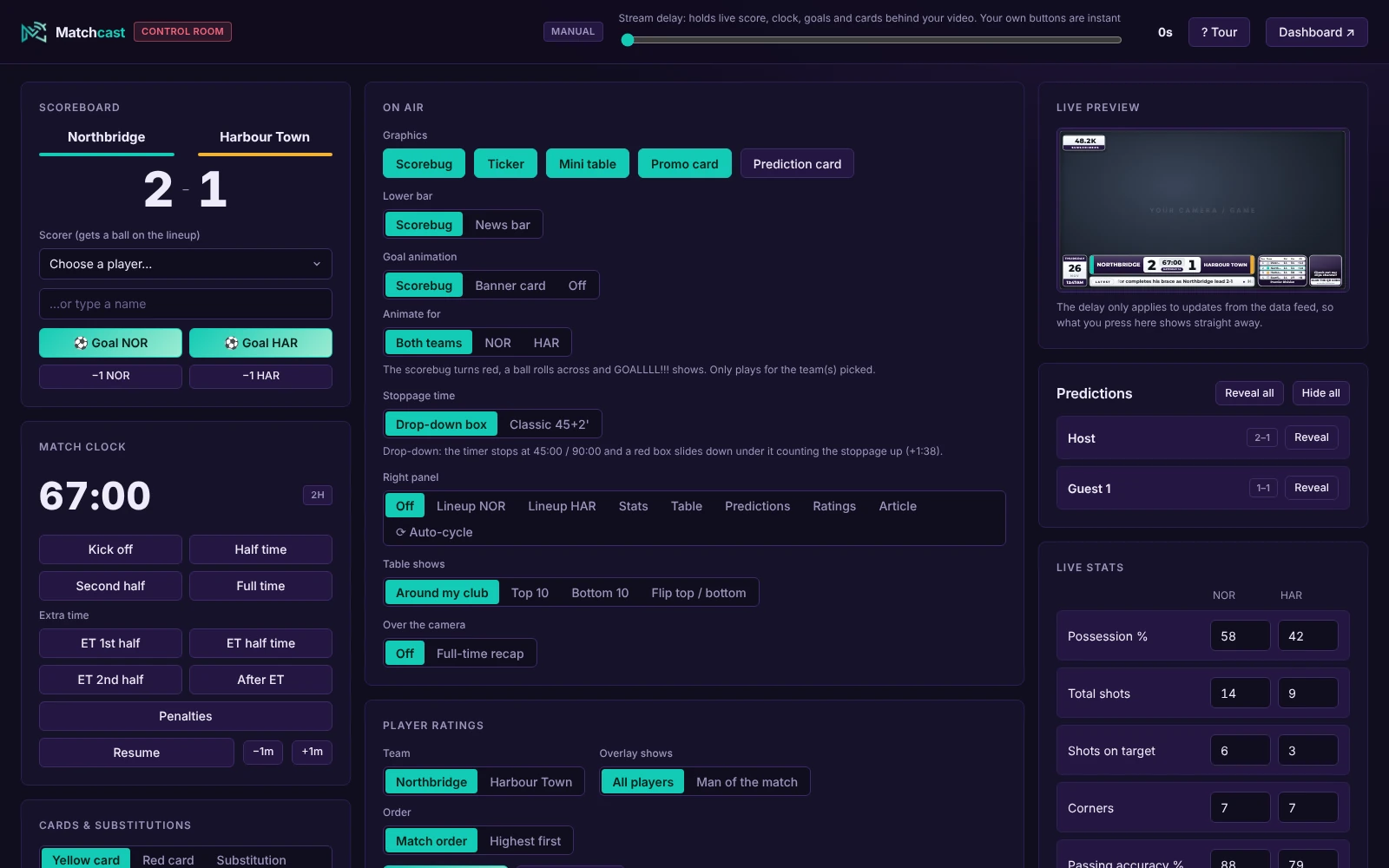
One page runs the match
- Score and clock
- Goal buttons take the scorer from the lineup. The clock covers both halves, half time, stoppage time, extra time and penalties.
- Cards and substitutions
- One tap updates the shirts and fires the banner together.
- On air
- Turn the scorebug, ticker, mini table, promo card and side panel on and off. The side panel can cycle through lineups, stats and the table by itself.
- Stream delay
- Hold back the data feed's updates so a goal banner never lands before the goal does. Your own button presses stay instant.
- Auto or manual
- Pick a match and a free data feed fills in the score, clock, lineups, stats and table. Switch it off and type everything yourself.
Set up before kick-off
Three steps
- Unzip Matchcast and run
node server.js. It needs Node 18 or newer and nothing else installed. - In OBS, add a Browser Source, paste your overlay address and set it to 1920 by 1080. It is transparent over your game.
- Open the Control Room, pick a match or enter it by hand, and put graphics on air.
Also included
- Twitch and YouTube chat comes into the Control Room. Pick a message and show it on stream.
- Player ratings out of ten after the final whistle, with a man of the match.
- Drag any graphic wherever suits your camera, then export the layout.
- Colours, logo, font and corner style are set once in the Dashboard and every graphic follows.
Questions
Can I get it now?
Not yet. Matchcast is in testing while the details are finished. Sign up and you'll get one email when it's ready.
Which streaming software does it work with?
It is built for OBS Studio's Browser Source. Other software that can load a web page at 1920 by 1080 should work the same way.
Where does the match data come from?
A free football data feed. What it covers depends on the competition, and some matches won't have player photos or a full bench. You can fill in or correct anything by hand.
Does it need the internet?
Only for the optional auto-update. The rest runs on your computer, and you can type every number yourself and never go online.
Hear when it's ready
Leave your details and you'll get one email on release day.